SocialSchedule
AI Social Media Scheduler for Instagram, TikTok, LinkedIn & More
Plan, draft, and auto-publish with an AI social media scheduling tool built for creators, small businesses, and agencies — not a legacy queue with captions bolted on.


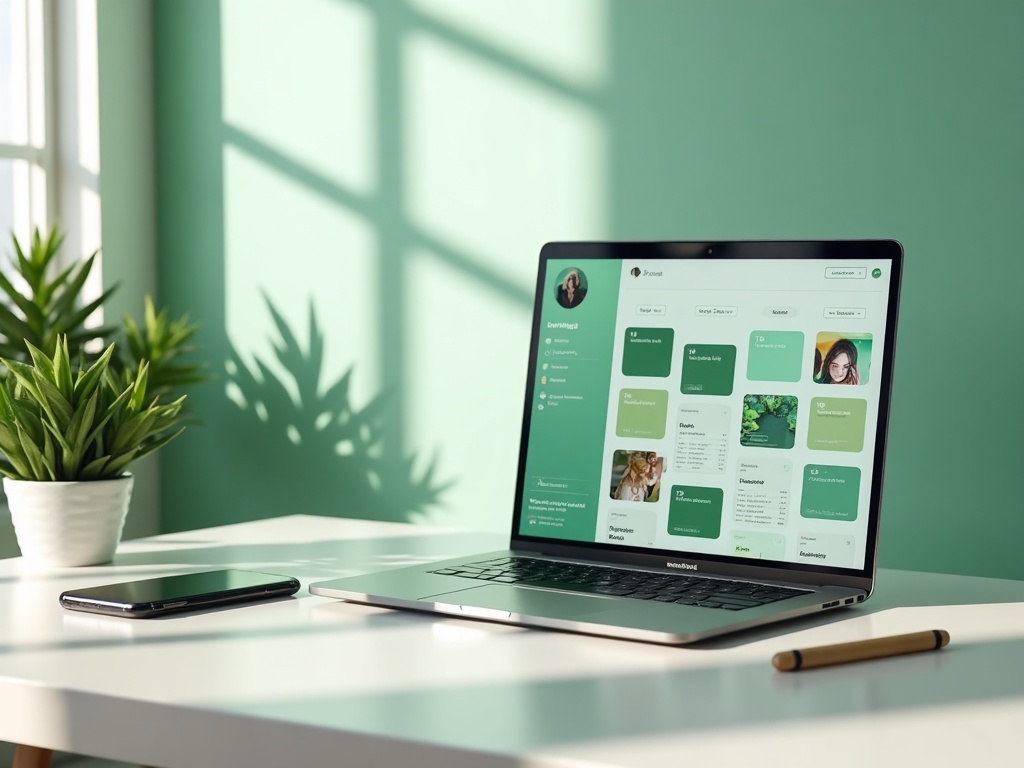
Why teams switch from Buffer-style queues to an AI social media scheduler
Most “social media scheduling software” still treats AI like a caption afterthought. Teams outgrow static queues when they need an AI social media manager that drafts hooks, recommends optimal posting times, and keeps a multi platform social media scheduler honest across Reels, Shorts, carousels, and threads.
SocialSchedule is an AI-first social media scheduler: you schedule social media posts with intent matching, platform-native formatting, and a content calendar that connects ideation → queue → publish → analytics. If you are comparing the best social media scheduler 2026 options, look for AI that times and queues — not just auto post to social media with recycled templates.
Creators and agencies switch when Buffer-style tools force tab-hopping between a calendar app, a caption generator, and a separate analytics sheet. One AI social media scheduling tool should own the workflow end to end so your social media content calendar tool is the same place you approve, schedule, and measure.
Schedule social media posts across 10 platforms from one calendar
A real multi platform social media scheduler covers the networks your audience actually uses in 2026 — including Threads, Bluesky, and Google Business Profile — not only the 2018 shortlist.
Connect Instagram, TikTok, X, LinkedIn, Facebook, YouTube, Threads, Pinterest, Bluesky, and Google Business Profile. Cross-post with platform-aware formatting so a LinkedIn essay does not become a broken TikTok caption. Use one social media content calendar tool to see every scheduled asset, gap day, and campaign window.
Explore platform-specific schedulers:
AI that drafts, times, and queues content — not just captions
AI social media scheduling means more than spinning hashtags. SocialSchedule drafts captions, hooks, and variants; suggests best times to post from your engagement patterns; and drops approved work into smart queues so you can auto post to social media without babysitting the clock.
Use AI as an AI social media manager for first drafts, then keep human approval for brand voice. Bulk ideas become scheduled posts with fewer copy-paste steps — the difference between a toy caption box and production-grade social media scheduling software.


Content calendar, queues, and optimal posting times in one workflow
Your social media content calendar tool should show week and month views, queue depth, and platform filters in one place. Drag posts between slots, refill evergreen queues, and keep campaigns aligned without exporting CSV to a spreadsheet every Monday.
Optimal posting time recommendations feed the queue so “schedule social media posts” becomes a default cadence — not a guessing game. Teams searching for the best social media scheduler 2026 want calendar + queue + AI timing together; that is the SocialSchedule workflow.
Built for creators, small businesses, and agencies
Creators
Ship Reels, Shorts, and carousels on a sustainable schedule. Keep a personal brand calendar without living inside five native apps.
Small businesses
Stay consistent on Instagram, Facebook, Google Business Profile, and more — even when marketing is not a full-time role.
Agencies
Multi-account workspaces, approvals, and client-ready calendars so your social media scheduling software scales with retainers — not chaos.
Agent-ready: CLI, MCP server, API, and Skills for AI workflows
SocialSchedule is built for humans and agents. Developers and AI agents can schedule via CLI, MCP server, API, and Skills — the agent/dev surface most Buffer alternatives still ignore in the SERP.
Automate queues from your content pipeline, trigger publishes from internal tools, or let an AI agent draft-and-queue under approval rules. That is AI-native scheduling — not a bolted-on assistant.

SocialSchedule pricing that scales without enterprise bloat
Transparent social media scheduler pricing for creators through agencies. AI features and core platforms included — no mandatory enterprise sales call to see a number. Compare plans and start free when you are ready.
How to start scheduling with SocialSchedule
- 1
Connect your accounts
Link Instagram, TikTok, LinkedIn, X, and the rest of your stack in one workspace.
- 2
Draft with AI or paste your copy
Generate captions and hooks, or bring finished assets — then preview per platform.
- 3
Place posts on the calendar or queue
Use optimal times or set exact slots; keep evergreen content in smart queues.
- 4
Approve and auto-publish
Team approvals optional. Publish on schedule and review engagement in analytics.
SocialSchedule vs legacy social media schedulers
Quick commercial comparison for teams evaluating an AI social media scheduling tool versus Buffer-style queues and heavy enterprise suites.
| Capability | SocialSchedule | Legacy queues | Enterprise suites |
|---|---|---|---|
| AI drafting + timing | Native to the workflow | Often caption-only add-on | Varies; sales-gated |
| 10-platform calendar | Including Threads, Bluesky, GBP | Core networks; gaps common | Broad but complex |
| Agent/dev surface | CLI, MCP, API, Skills | Limited or none | API only, heavy setup |
| Pricing clarity | Transparent plans | Plan nickel-and-diming | Custom quotes |
Frequently asked questions
What is an AI social media scheduler?+
An AI social media scheduler helps you plan, draft, time, and auto-publish posts across networks. Unlike a basic queue, it uses AI for captions, hooks, and optimal posting times while keeping a shared content calendar and analytics in one social media scheduling tool.
Which platforms does SocialSchedule support?+
SocialSchedule supports Instagram, TikTok, X, LinkedIn, Facebook, YouTube, Threads, Pinterest, Bluesky, and Google Business Profile — a true multi platform social media scheduler for modern channel mixes.
How is SocialSchedule different from Buffer?+
Buffer popularized simple queues. SocialSchedule is AI-native: drafting, timing, calendars, and an agent layer (CLI, MCP, API, Skills). You get an AI social media manager workflow, not a 2012 queue with a caption box attached.
Can I schedule Instagram Reels, TikToks, and YouTube Shorts?+
Yes. Schedule short-form video and platform-native formats alongside feed posts and carousels so your social media content calendar tool covers Reels, TikToks, and Shorts in the same plan.
Does SocialSchedule suggest the best time to post?+
Yes. Optimal posting time recommendations help you schedule social media posts when your audience is active, then drop approved work into queues for reliable auto post to social media.
Is SocialSchedule good for agencies managing multiple clients?+
Yes. Agencies use workspaces, roles, and approval workflows to run multiple brand calendars without spreadsheet chaos — social media scheduling software that scales with client retainers.
Can AI agents schedule posts via CLI, MCP, or API?+
Yes. SocialSchedule exposes CLI, MCP server, API, and Skills so developers and AI agents can create and queue posts under your rules — a differentiator versus most Buffer alternatives.
Do I need separate tools for a content calendar and scheduling?+
No. SocialSchedule combines calendar, queues, AI drafting, and publishing so you do not juggle a separate social media content calendar tool and a scheduler.
Is there a free plan or free trial?+
You can start free via the app login and explore scheduling before you commit. See the pricing page for current Pro, Max, and Enterprise options and what is included.
How do I start scheduling with SocialSchedule?+
Open the app, connect accounts, draft or import content, place posts on the calendar or queue, and publish on schedule. Use Start free to begin at app.socialschedule.ai.
Schedule with AI — start free
Join teams using SocialSchedule as their AI social media scheduler for Instagram, TikTok, LinkedIn, and more.
Start free